
---
title: Transform In-Field Facilities Management with QR Codes l SPM Assets
description: Find out how Tāmaki Regeneration is using QR codes generated by SPM Assets software to make their life easier.
---

# Transform In-Field Facilities Management with QR Codes l SPM Assets

## Tāmaki Regeneration Case Study

[Download the full case study](https://landing.spmassets.com/hubfs/Case_Study_QRCode.pdf).

## Background

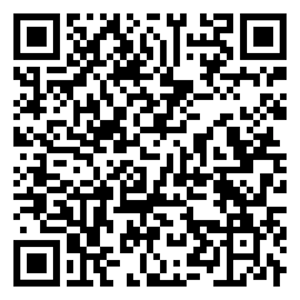
Tāmaki Regeneration is planning an innovative use of QR codes in a way that’s strategic and also practical for maintenance contractors. Property-specific codes will allow maintenance teams to quickly access the asbestos management plan, as well as live, up-to-date facilities management plans.

![logo](https://landing.spmassets.com/hs-fs/hubfs/logo.png?width=270&height=80&name=logo.png)

![qr-code_for_Facilities_Management_Plan-1](https://landing.spmassets.com/hs-fs/hubfs/qr-code_for_Facilities_Management_Plan-1.png?width=300&height=300&name=qr-code_for_Facilities_Management_Plan-1.png)

## The goal

QR codes, generated from SPM Assets’ core software, will be transformed into stickers and placed inside meter boxes or letterboxes of all 2,600 or so tenanted properties owned and managed by [Tāmaki Regeneration](https://www.spmassets.com/case-studies/tamaki-regeneration) in Auckland, New Zealand.

This QR code strategy means that contractors will be able to scan the stickers with their smartphones. This will allow them to immediately access a wealth of information about the property, including:

- **Health and Safety Information** including **asbestos management plans:** contractors will know where any suspected asbestos is located, and how they’ll need to respond to the risk.
- **Levels of service** appropriate to the property, including identifying gaps relating to Healthy Homes compliance, asset renewal, and preventative maintenance strategies.
- **Contact details** of key contractors, tenancy staff and the PCBU.
- **A ‘live’ facilities management plan** that’s always up-to-date and relates to all aspects of property, such as: 
    - Structural elements: roof, walls, ceiling, and  
      underfloor
    - Heating, hot water, ventilation, and insulation
    - Drainage and plumbing
    - Signs of potential moisture ingress and mould
    - Electrical and smoke alarms.

Giving contractors an overview of the overall property means that maintenance decisions will be made holistically, rather than in isolation. The use of QR codes allows for the strategic property management plan to be implemented intelligently in the field, with the information being quick and easy to access by those who need it.


![](https://landing.spmassets.com/hs-fs/hubfs/QR%20codes.png?width=681&height=719&name=QR%20codes.png)

![Point England Reserve](https://landing.spmassets.com/hs-fs/hubfs/Point%20England%20Reserve.png?width=876&height=617&name=Point%20England%20Reserve.png)

All photos credit: Tamaki Regeneration

## Benefits of property QR codes

The key benefit of utilising QR code technology in this way is that it provides the ability to share up-to-date information to those who need it – and quickly.

Tāmaki Regeneration values a relationship of transparency with its community, and in the future plan to also use QR codes to share its service levels with tenants. This will inform tenants of what they can expect from their housing provider, as well as giving them key information about the property they’re living in.

## Security is key

Once a contractor scans a QR code, they will need to log into the SPM Assets database: the information is held securely, so only authorised people can access it and allows TRC to monitor and manage its health and safety obligations with its contractors.

What’s more, tenant privacy is maintained: no personal information about tenants can be accessed through the QR code. The information stored in the database only relates to the property.

*“It’s the one or two click aspect to QR codes that really sold me on using them,” says Tracy Massam, Asset Manager at Tāmaki Regeneration. *

*“Typing a website address is time consuming and it’s easy to make a typo. You don’t have that worry with a QR code – it will take contractors directly to the information they need.”*

## Next steps

 The QR code generator is part of the core SPM Assets applications - look for ‘QR Code link’ on the Property Summary screen. If you’d like some  
ideas on how to get maximum value from a QR code strategy in your organisation, reach out to your account manager. Or if you’re not yet an SPM Assets customer, but would like to find out more, please contact your [nearest office](https://www.spmassets.com/en-au/contact).

```json
{
  "@context" : "https://schema.org",
  "@id" : "https://www.spmassets.com/#org",
  "@type" : "Organization",
  "address" : [ {
    "@type" : "PostalAddress",
    "addressCountry" : "NZ",
    "addressLocality" : "Rosedale",
    "addressRegion" : "Auckland",
    "postalCode" : "0632",
    "streetAddress" : "Building 2, Level 3, 61 Constellation Drive"
  }, {
    "@type" : "PostalAddress",
    "addressCountry" : "AU",
    "addressLocality" : "Sydney",
    "addressRegion" : "NSW",
    "postalCode" : "2000",
    "streetAddress" : "Suite 3, Level 26, 201 Kent St"
  } ],
  "contactPoint" : [ {
    "@type" : "ContactPoint",
    "areaServed" : [ "NZ" ],
    "contactType" : "sales",
    "email" : "info@spmassets.com",
    "telephone" : "+64 9 921 4070"
  }, {
    "@type" : "ContactPoint",
    "areaServed" : [ "NZ" ],
    "contactType" : "customer support",
    "email" : "support@spmassets.com",
    "telephone" : "+64 9 921 4070"
  }, {
    "@type" : "ContactPoint",
    "areaServed" : [ "AU" ],
    "contactType" : "sales",
    "email" : "sales@spmassets.com.au",
    "telephone" : "+61 2 9880 2955"
  }, {
    "@type" : "ContactPoint",
    "areaServed" : [ "AU" ],
    "contactType" : "customer support",
    "email" : "support@spmassets.com.au",
    "telephone" : "+61 2 9880 2955"
  } ],
  "logo" : "https://www.spmassets.com/hs-fs/hubfs/SPM-Planon-Logo%20%281%29.png?height=100&name=SPM-Planon-Logo%20%281%29.png&width=177",
  "name" : "SPM Assets",
  "sameAs" : [ "https://www.linkedin.com/company/spm-assets/" ],
  "url" : "https://www.spmassets.com/"
}
```

```json
{
  "@context" : "https://schema.org",
  "@id" : "https://www.spmassets.com/#website",
  "@type" : "WebSite",
  "inLanguage" : "en",
  "name" : "SPM Assets",
  "publisher" : {
    "@id" : "https://www.spmassets.com/#org"
  },
  "url" : "https://www.spmassets.com/"
}
```

```json
{
  "@context" : "https://schema.org",
  "@id" : "https://www.spmassets.com/#localbusiness-nz",
  "@type" : "LocalBusiness",
  "address" : {
    "@type" : "PostalAddress",
    "addressCountry" : "NZ",
    "addressLocality" : "Rosedale",
    "addressRegion" : "Auckland",
    "postalCode" : "0632",
    "streetAddress" : "Building 2, Level 3, 61 Constellation Drive"
  },
  "areaServed" : [ "New Zealand", "Australia" ],
  "description" : "Cloud-based lifecycle asset management software and asset management consulting services for property portfolios.",
  "email" : "info@spmassets.com",
  "knowsAbout" : [ "Property asset management software", "Lifecycle asset management", "Condition assessments", "Asset management plans", "Maintenance planning", "Asset management consulting" ],
  "name" : "SPM Assets (New Zealand)",
  "telephone" : "+64 9 921 4070",
  "url" : "https://www.spmassets.com/contact"
}
```

```json
{
  "@context" : "https://schema.org",
  "@type" : "BlogPosting",
  "author" : {
    "@type" : "Organization",
    "name" : "SPM Assets",
    "url" : "https://www.spmassets.com/en-us/"
  },
  "datePublished" : "2020-09-29",
  "description" : "Find out how Tāmaki Regeneration is using QR codes generated by SPM Assets software to make their life easier.",
  "headline" : "QR CODES: providing a strategic approach to in-field facilities management",
  "image" : "",
  "mainEntityOfPage" : {
    "@id" : "https://landing.spmassets.com/qr-codes-providing-a-strategic-approach-to-in-field-facilities-management",
    "@type" : "WebPage"
  },
  "publisher" : {
    "@type" : "Organization",
    "logo" : {
      "@type" : "ImageObject",
      "url" : ""
    },
    "name" : ""
  }
}
```